

Consistency Beats Perfection
The #1 reason subscribers cancel a streaming service? Not enough new content.
It doesn’t matter how beautiful your platform is or how great your existing library is—if subscribers feel like nothing new is coming, they’ll leave. A content calendar prevents this by creating a predictable rhythm that keeps viewers engaged and coming back.
Why Content Calendars Matter for Streaming
Subscriber Expectations
Streaming subscribers expect regular new content. They’ve been trained by Netflix, Spotify, and YouTube to always have something fresh. Your platform needs to deliver the same feeling.
Churn Prevention
Every day without new content is a day a subscriber might ask: “Why am I paying for this?” A content calendar ensures there’s always a reason to stay.
Production Efficiency
Planning ahead allows you to:
- Batch-produce content efficiently
- Coordinate across team members
- Avoid last-minute scrambles
- Maintain quality while increasing output
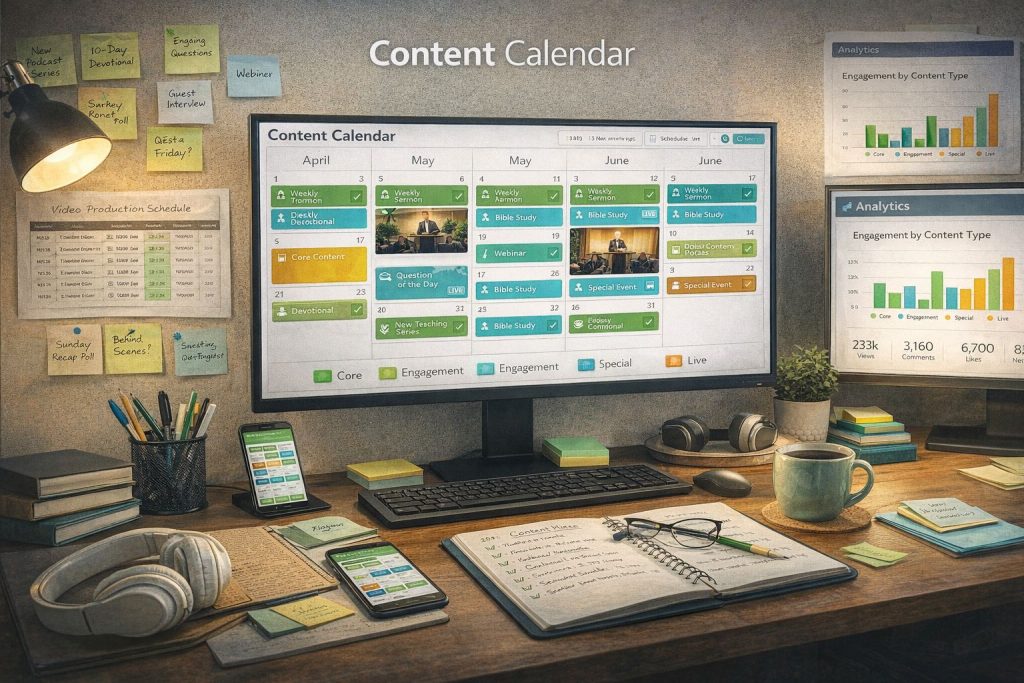
Anatomy of a Streaming Content Calendar
Content Pillars
Define 3-5 content pillars that form the backbone of your programming:
Example for a church:
- Weekly sermon (core)
- Daily devotional (engagement)
- Monthly Bible study series (depth)
- Quarterly special event (excitement)
Example for a fitness brand:
- 3x weekly workout videos (core)
- Weekly nutrition tip (education)
- Monthly challenge series (engagement)
- Quarterly live event (community)
Release Cadence
Set expectations your audience can rely on:
| Frequency | Content Type | Purpose |
|---|---|---|
| Daily | Short-form (1-5 min) | Habit building, daily engagement |
| Weekly | Core content (15-60 min) | Primary value delivery |
| Bi-weekly | Series episodes | Anticipation and binge-ability |
| Monthly | Premium/special content | Excitement and retention |
| Quarterly | Events, launches | Buzz and re-engagement |
Content Mix
Balance different content types:
- Evergreen content (70%) – Always relevant, long shelf life
- Timely content (20%) – Seasonal, trending, current events
- Experimental content (10%) – New formats, test ideas
Building Your Calendar: Step by Step
Step 1: Audit Your Existing Content
What do you already have?
- Back catalog that can be organized and released
- Content that can be repurposed (long videos → clips)
- Raw footage waiting to be edited
Step 2: Define Your Cadence
Be realistic about what you can sustain:
- Better to publish 1 great video per week than 5 mediocre ones
- Start with a manageable cadence and increase over time
- Account for holidays, vacations, and production gaps
Step 3: Map Out 3 Months
Plan at least 90 days ahead:
- Month 1: Detailed and ready to execute
- Month 2: Planned with flexibility
- Month 3: Outlined with room to adjust
Step 4: Schedule and Automate
Use Bamboo Cloud’s scheduling tools to:
- Set publish dates in advance
- Queue content for automatic release
- Schedule push notifications for new content
- Coordinate social media promotion
Step 5: Review and Optimize
Monthly, review your calendar performance:
- Which content drove the most views?
- What day/time performs best for releases?
- Are subscribers engaging with all content types?
- What should you do more (or less) of?
Content Calendar Templates
Minimum Viable Calendar (1 content/week)
- Monday: Publish weekly video + push notification
- Wednesday: Social media promotion of the video
- Friday: Behind-the-scenes or preview of next week
Growth Calendar (3-5 content/week)
- Monday: Core content release
- Tuesday: Short-form supplementary content
- Wednesday: Live stream or Q&A
- Thursday: Community/user-generated content
- Friday: Preview or early access for next week
Tools in Bamboo Cloud
Bamboo Cloud makes content scheduling easy:
- Scheduled publishing with specific dates and times
- Content organization by series and playlists
- Push notification scheduling
- Analytics to optimize your release strategy
Plan your content strategy with Bamboo Cloud