

The Online Welcome Class: A First Impression You Probably Don’t Have Yet
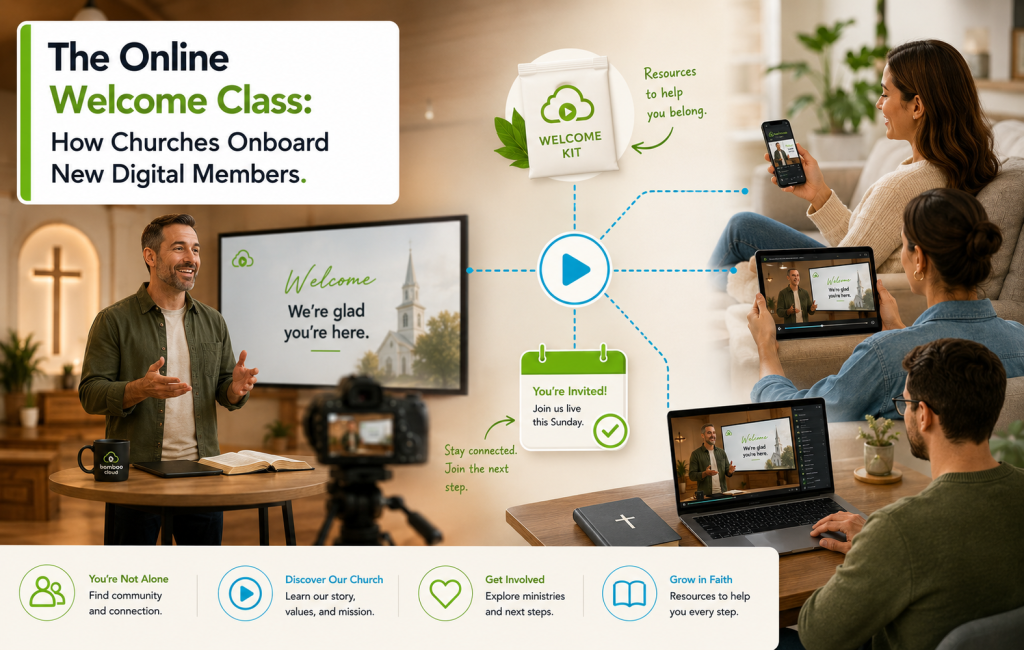
The online welcome class is one of the most quietly important things a modern church can offer — and one most churches don’t have at all. When a first-time visitor walks into your sanctuary on a Sunday morning, there’s a hospitality team, a welcome card, a follow-up call. When that same person discovers you through a livestream or a recorded sermon, almost none of that hospitality reaches them. The online welcome class fixes that gap. It’s the digital equivalent of the welcome desk — a structured, intentional first introduction to who you are, why you exist, and what comes next.
Here’s how to build one that actually converts curious viewers into committed members.
Why Online Visitors Need a Different Welcome
The person watching from home didn’t drive to your building. They didn’t sit in a pew next to someone who said hi. They didn’t get handed coffee or a connect card. They’re farther from membership than an in-person visitor, even if they’re more interested. Your online welcome class meets them where they are — at home, on a phone or TV, on their schedule.
What to Cover in an Online Welcome Class
Keep it under 45 minutes. The structure that works for most churches:
- 5 min: Personal welcome from a pastor or staff member. Eye contact with the camera, first name, smile.
- 10 min: Your story — who started the church, why, what’s distinctive about your community.
- 10 min: Your beliefs and values — clearly stated, not buried in theological jargon.
- 10 min: What community looks like here — small groups, serving, gatherings, kids and youth programs.
- 5 min: Three clear next steps with specific actions (e.g., “Join a small group at smallgroups.yourchurch.org,” “RSVP for the newcomer brunch on the third Sunday”).
- 5 min: A way to ask questions — chat, email, or a calendar link to talk with a pastor.
Live or On-Demand?
The strongest online welcome class strategy uses both:
- On-demand version: Available 24/7 inside your Bamboo Site or app library. New viewers can watch the moment they’re curious — which is usually 9pm on a Wednesday, not when you’re around.
- Live version monthly or quarterly: Hosted via Bamboo Live with a real Q&A at the end. The live version creates a personal touch and a deadline that drives signup.
Capture, Don’t Just Broadcast
An online welcome class without a follow-up step is a wasted opportunity. Build in capture moments:
- A “New here?” link pinned to the player that opens a short connect form
- An RSVP form for the next live welcome event
- A “Talk to a pastor” calendar link
- A gentle email signup (“Stay in the loop — one email a week, no spam”)
Each capture method earns the right to follow up directly, which is where membership decisions actually happen.
The Follow-Up Sequence
Once someone watches the online welcome class and shares contact info, the next 14 days matter most. A simple sequence that works:
| Day | Touchpoint |
|---|---|
| Day 1 | Personal email from the pastor — “Thanks for watching. Anything I can pray about?” |
| Day 3 | A short video text from a small-group leader, inviting them to a group near them |
| Day 7 | An invitation to the next in-person event with directions and parking info |
| Day 14 | A check-in: “What questions do you still have? Want to grab coffee?” |
Common Mistakes to Avoid
- Treating it like a sermon. The online welcome class is a conversation, not a teaching moment.
- Going too long. 45 minutes is the ceiling. 30 is better.
- Burying the next steps. Three specific actions, with dates and links. Not “consider getting involved.”
- Forgetting to update it. Refresh annually — service times, staff, program details all drift.
- No way to ask questions. If a viewer has a follow-up question and nowhere to send it, you’ve lost them.
Production Doesn’t Need to Be Fancy
The online welcome class isn’t a tentpole production. A single camera, clean audio from a lavalier mic, and a quiet room work fine. What matters is warmth, eye contact, and clarity. Recording in a familiar church space (the lobby, a sanctuary aisle, the youth room) communicates more than a glossy studio set.
Ready to give online visitors the welcome they deserve? Start your free trial today and host your welcome class on every device, live or on-demand.