


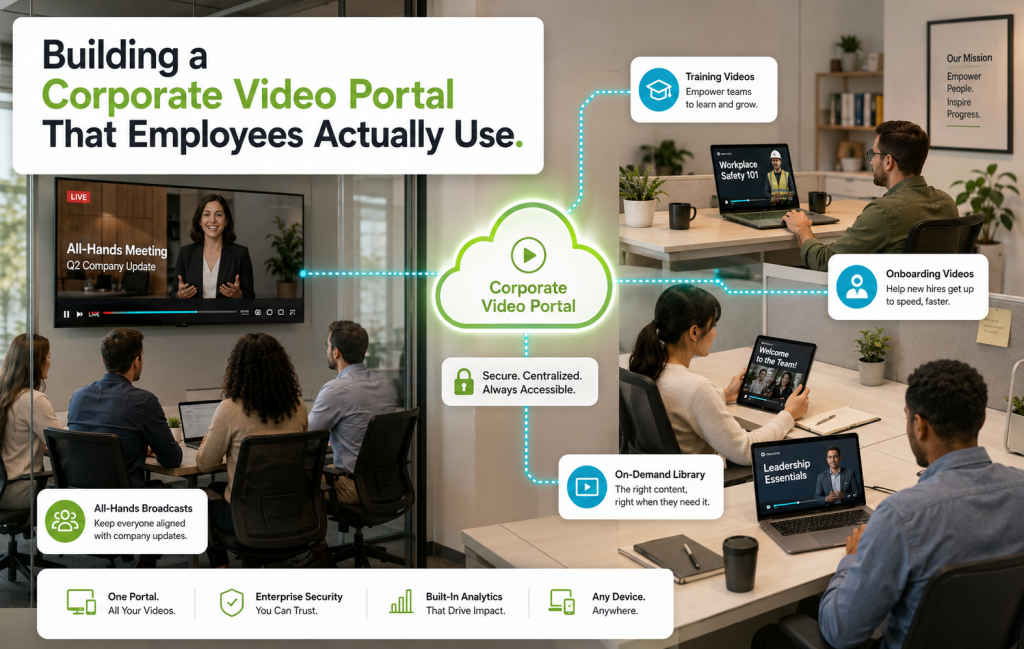
Corporate Video Portal: The Internal Video Problem Every Company Has
A corporate video portal is one of those internal tools every company needs and almost none get right. All-hands recordings live in one drive. Onboarding videos live in another. Executive updates get emailed as attachments. Training videos sit in whatever LMS the previous VP of People bought. New hires can’t find what they need. Existing employees give up looking. And the CEO wonders why nobody remembers the strategy update from three weeks ago.
A proper corporate video portal fixes that. Here’s what one actually looks like — and how to build it without buying another enterprise contract you regret in a year.
What a Corporate Video Portal Is (And Isn’t)
A corporate video portal is a centralized, searchable, permissioned library for every video your company produces internally. It’s not a streaming service. It’s not a video conferencing tool. It’s the video equivalent of a well-organized shared drive — with the search, discovery, permissions, and analytics you actually need at scale.
The core content in most corporate video portals:
- All-hands and town-hall recordings
- Executive updates and CEO messages
- Onboarding videos for new hires
- Product and sales enablement content
- Training and compliance libraries
- Recorded internal talks, workshops, and demos
- Team celebrations, milestones, and culture videos
Why the Scattered Approach Fails
Without a real corporate video portal, most companies end up with:
- Videos hosted on personal Loom or Vimeo accounts (bad for security, worse for continuity)
- Recordings in Zoom cloud storage that get purged after 90 days
- Google Drive folders no one can find
- Slack threads with attached MP4s that disappear when someone leaves
- An LMS bought for compliance training that everyone hates using
The cost of this mess isn’t obvious until you calculate the time employees spend searching for videos — or the moment a critical executive update becomes unfindable.
What a Good Corporate Video Portal Actually Does
- Centralizes all internal video — one URL every employee bookmarks
- Enforces permissions — some videos are all-hands, some are department-only, some are exec-only
- Handles authentication — SSO with Okta, Azure AD, Google Workspace
- Provides search — full-text search, filters by team, tag, date, speaker
- Delivers on every device — desktop for the office, mobile for the road, TV apps for the boardroom
- Tracks engagement — who watched what, completion rates, drop-off points
- Auto-captions and transcribes — for accessibility and searchability
- Integrates with Slack, Teams, and email — so employees find videos where they already work
The Access Control Question
Corporate video portal permissions matter more than any other feature. The typical structure:
| Access Level | Content Examples |
|---|---|
| Company-wide | All-hands, executive updates, general training |
| Department-only | Team-specific training, planning sessions |
| Team-only | Sprint reviews, working sessions, retros |
| Executive-only | Board updates, sensitive strategic discussions |
| External-shareable | Sales-enablement videos to send to prospects |
Bamboo Cloud handles all five with role-based permissions and password-protected private links for external sharing.
Where the Video Actually Comes From
A corporate video portal is only as valuable as the content in it. Typical sources:
- Zoom, Google Meet, Teams: Ingest recordings into your Bamboo Cloud library via API
- Recorded live events: Bamboo Live captures the recording and auto-publishes it to the library
- Direct uploads: Executives, HR, and department leads upload through the dashboard
- External production: Agency-produced training or marketing content ingested in bulk
Making Employees Actually Use It
Building the corporate video portal is half the job. Getting employees to use it is the other half. What works:
- Bookmark it in every browser via IT. The portal has to be one click away.
- Integrate with Slack. When a new video posts, drop a link in #announcements.
- Embed onboarding into it. Every new hire’s first day includes a curated portal playlist.
- Executives use it publicly. When leaders post videos here first, everyone else follows.
- Kill competing channels. Stop sending executive updates via email attachment. Direct everything to the portal.
Measuring the Corporate Video Portal
Metrics that actually matter:
- Weekly active users (are employees returning?)
- Average videos watched per user
- Completion rate on executive and all-hands content
- Search volume (are they trying to find things?)
- Onboarding video completion by new hires
Common Pitfalls
- Treating it like a public streaming service. Permissions and SSO matter more than a fancy home screen.
- Ignoring search. A library without search is a graveyard.
- No mobile access. Half your workforce watches from phones.
- Forgetting to migrate old content. If the CEO’s Q1 update from last year isn’t findable, employees stop trusting the portal.
- Skipping captions. Accessibility and searchability both suffer.
Ready to consolidate your internal video? Start your free trial today and build a corporate video portal your teams actually use.