


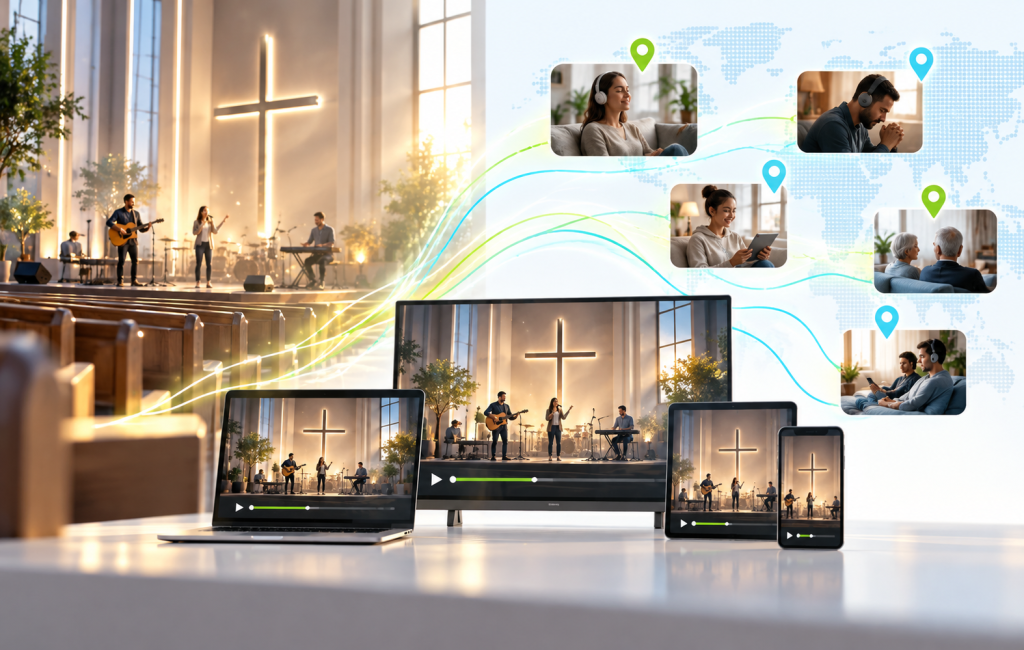
Most churches already have a worship music library. It’s just scattered across service recordings, old hard drives and a few YouTube uploads. Worship music streaming changes that. Instead of songs vanishing after Sunday, your community can return to them on the drive to work, during a quiet hour of prayer, or late at night when they need them most.
This guide walks through how to build that library, run a 24/7 worship channel, and keep music playing all week long.
Your Worship Team Already Built the Library
Every week, your band and vocalists lead songs your congregation loves. Those moments are usually buried inside a two-hour service video. Pulling them out gives worship its own home.
Start simple. Clip the worship sets from your service recordings, or record a few dedicated sessions. Then organize them so people can find the songs they’re looking for.
1. Organize songs with categories and talent
In Bamboo, categories build the rows on your site and apps. Create categories that match how people actually listen:
- Sunday Worship Sets for full sets from services
- Acoustic Sessions for stripped-back recordings
- Kids Worship for family-friendly songs
- Worship Nights for special events and replays
Next, give your worship leaders and bands a profile. In Content > Talent, choose the Artist type, add a photo and a short bio, then tag their videos. Each artist gets a page with all their songs in one place. Add tags to each video as well, so a search for a song title finds it instantly.
2. Launch a 24/7 worship channel
On-demand songs are great. However, many people simply want worship playing in the background. That’s where a 24/7 worship channel shines.
Create a Looped channel in Content > Channels. Turn on Auto Schedule and pick your worship categories under Schedule Categories. From then on, every new song you add to those categories joins the channel automatically. Your channel refreshes itself.
Music channels often have many short videos, so the TV guide can get busy. Set an EPG Label such as “Worship Music 24/7” to show one clean entry in the guide instead of dozens of song titles.
Want the channel on your existing church website too? Go to Platform > Live TV, open Embed, and copy the embed code. Paste it into any page, and your worship channel plays right there with its schedule.
3. Make it easy to listen, not just watch
Worship is often something people hear rather than watch. Your church’s own mobile apps (Business plan) are built for that:
- Audio Mode lets listeners switch to audio-only playback, ideal for music and sermons.
- Background Playback keeps songs going when they lock their phone or switch apps.
- Offline downloads let people save favorite sets for flights, commutes and places with weak signal.
- Chromecast sends worship to the living room TV for family devotions.
4. Turn worship nights into live events
Special worship nights draw people who can’t always be in the room. Stream them live from your usual encoder, such as OBS or vMix. Viewers see a countdown before you start and a LIVE badge once you’re on. On Pro and above, live chat lets them share prayer requests and encouragement in real time.
Set a Recording Category such as “Worship Nights” before you go live. When the event ends, the recording lands in that category automatically. If that category feeds your 24/7 channel, the replay joins the rotation too.
Prefer a fixed weekly lineup? Use a Scheduled channel instead, and add your worship night to the schedule in Playout. The live event airs right inside your 24/7 channel, and the regular programming picks up again when you finish. Set a Fallback Video too, so viewers see a looping worship video instead of a black screen if you start a few minutes late.

5. Support the ministry behind the music
Most churches keep worship music free. That’s the point. Still, there are good ways to support the work:
- Add a Give button to your site and apps that links to your church’s giving page.
- Offer worship conferences or concerts as Pay-Per-View events.
- Create a members-only subscription for rehearsal footage, songwriting sessions or worship team training.
A Quick Word on Song Rights
Before you launch worship music streaming, check your rights. Original songs written by your team are the simplest to stream. For covers of popular congregational songs, churches typically rely on a church streaming license, so confirm with your licensing provider what it covers for on-demand and 24/7 use.
Let Worship Fill the Whole Week
Sunday morning is where worship begins, not where it ends. With a well-organized library, a 24/7 channel and apps built for listening, worship music streaming keeps your church’s sound in people’s homes, cars and headphones every day of the week.
Ready to launch your worship channel? Create your first channel
Don’t have an account yet? Start your free trial today.