

Content Organization, Your Way
As your video library grows, keeping content organized becomes critical. Viewers need to find what they’re looking for quickly, and you need tools that make content management effortless.
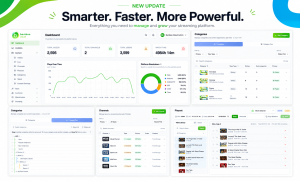
Introducing Category Tree Management—a powerful new way to structure your content library in Bamboo Cloud.
What is Category Tree Management?
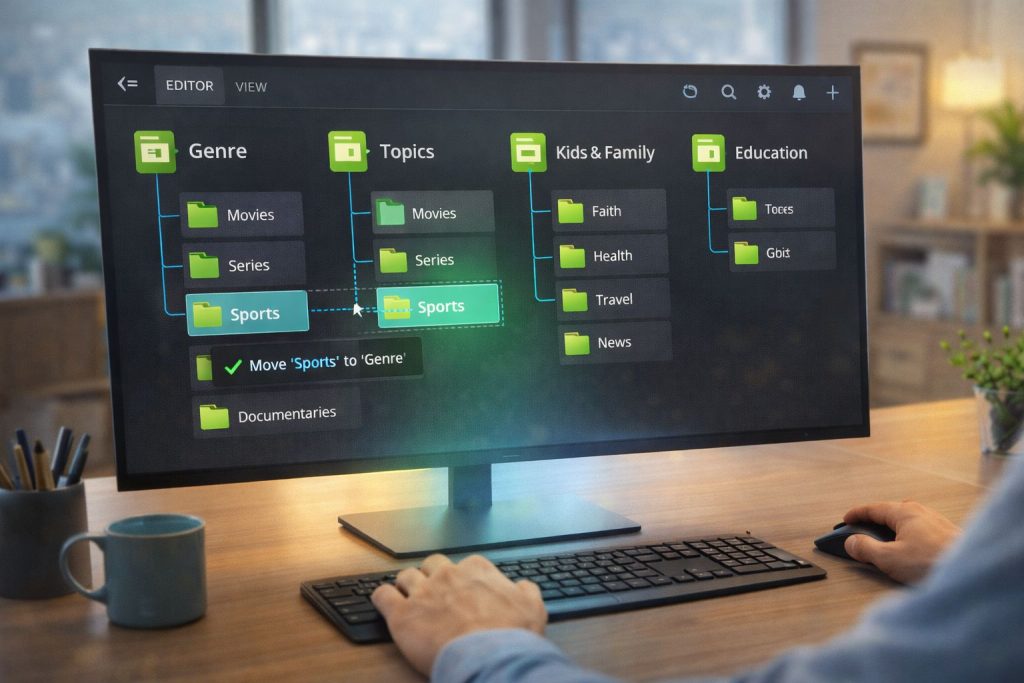
Think of it as your content’s organizational backbone. The Category Tree lets you create a hierarchical structure for all your videos, series, and collections:
- Parent categories for broad topics
- Subcategories for specific content types
- Unlimited nesting levels for complex libraries
- Drag-and-drop reordering for easy management
Key Features
Visual Tree Editor
The new visual editor makes category management intuitive:
- See your entire content structure at a glance
- Drag and drop to reorganize
- Expand and collapse branches
- Quick-add new categories anywhere in the tree
Flexible Display Options
Control how categories appear to your audience:
- Featured categories – Highlight specific sections on your homepage
- Hidden categories – Keep content organized internally without public display
- Custom ordering – Manual or alphabetical sorting
- Category thumbnails – Visual icons for each section
Cross-Platform Sync
Your category structure automatically syncs across all platforms:
- Website
- Mobile apps
- TV apps
- Embedded players
Update once, reflect everywhere.
Use Cases
For Churches
- Sermons → By Series → By Speaker → By Topic
- Worship → Live Services → Special Events → Music Videos
- Education → Bible Studies → Youth → Children
For Fitness Brands
- Workouts → By Type → By Duration → By Difficulty
- Programs → Beginner → Intermediate → Advanced
- Instructors → Individual Trainer Pages
For Educational Platforms
- Courses → By Subject → By Level → By Instructor
- Certifications → Required → Elective → Completed
Getting Started
Category Tree Management is available now in your Bamboo Cloud dashboard. Navigate to Content → Categories to start organizing your library.