

The Bamboo Cloud Admin Dashboard: A Complete Rebuild
Today we’re launching the new Bamboo Cloud Admin Dashboard — a complete rebuild of the administration experience. It replaces the previous Settings dashboard with something entirely new. We designed it from scratch, around the way our customers actually manage their streaming platforms.
This is one of the biggest changes we’ve shipped in years. Here’s the story of why we did it, what changed, and where it’s going.
Why We Rebuilt It
Bamboo Cloud has changed a lot over the past few years. We added new product suites (Bamboo Live, Bamboo Channels, Bamboo Faith, Bamboo Sports). We introduced new plans. We started serving new customer types — from indie creators launching a first app to media brands running full multi-platform operations. And we shipped new capabilities across every part of the platform.
Meanwhile, our previous Settings dashboard grew alongside all of that. It did its job for years. However, it didn’t fit what Bamboo Cloud had become. Every new feature added another menu item, another sub-page, another modal. Over time, that adds up.
The Problems We Kept Hearing
When we talked to customers and watched how they used the platform, the same friction points kept coming up:
- New customers took longer than they should to find the settings they needed
- Experienced admins clicked through more menus than the tasks required
- Related features spread across different sections
- The mobile experience wasn’t good enough for real day-to-day work
- Some workflows — Category management, Playout scheduling, Branding — were significantly harder than they needed to be
None of these were dealbreakers on their own. However, together, they slowed everyone down. Rather than continue to patch the old system, we decided to rebuild.
What Changed
The new Bamboo Cloud Admin Dashboard reorganizes around how customers actually manage a streaming platform. We grouped related tools together. We made common tasks one or two clicks away. And we designed the whole experience to scale as we keep adding capabilities.
A few architectural changes worth calling out:
- New navigation structure — we rebuilt the sidebar and page hierarchy from scratch
- Configuration Search — a global search that finds any setting or feature instantly, no navigating required
- Logical grouping — content, channels, branding, team, and analytics each live in coherent sections
- Mobile-first optimization — the entire dashboard now works genuinely well on a phone or tablet
The Biggest Improvements
Some parts of the Bamboo Cloud Admin Dashboard changed more than others. Three areas got significant rework.
Categories
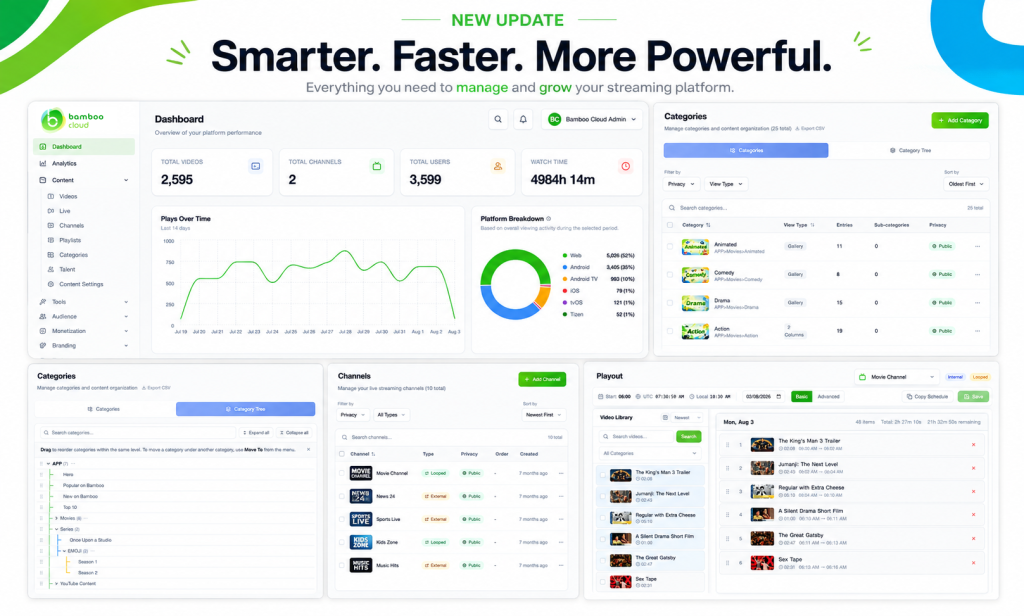
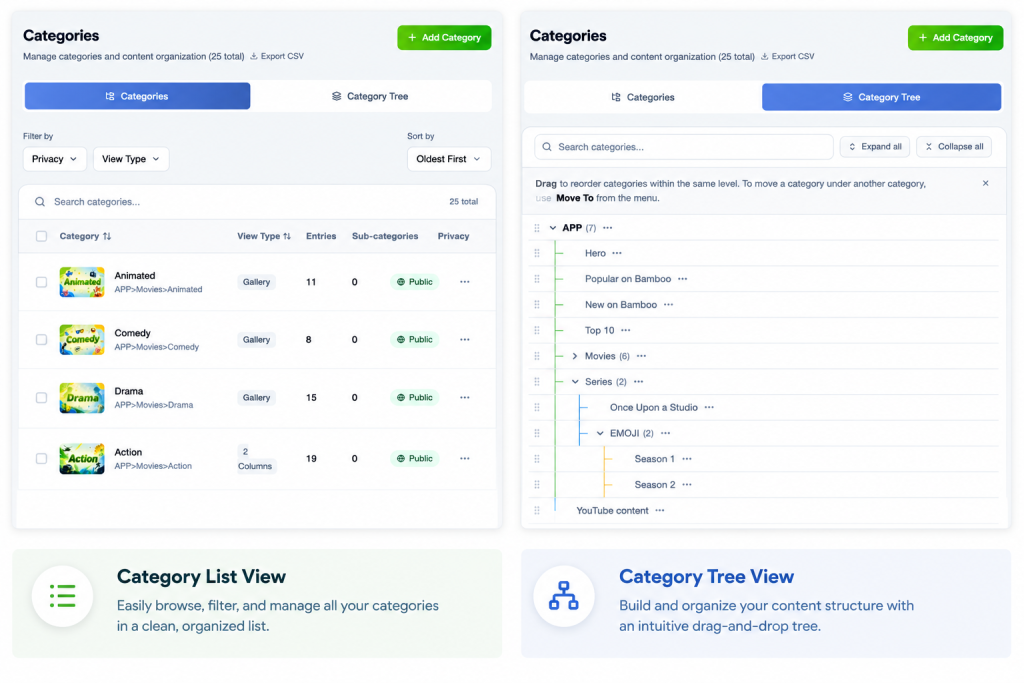
Category management was the single biggest source of friction in the old system. In the new one, it’s the single biggest improvement. The new dashboard introduces:
- A Category List view for fast scanning and editing
- A Category Tree view for visual hierarchy management
- Better tools for organizing large content libraries
- Easier hierarchy management for platforms with hundreds or thousands of videos
If you’ve ever wrestled with organizing hundreds of videos across dozens of categories, this one change alone will make a visible difference.
Playout & Linear Channels
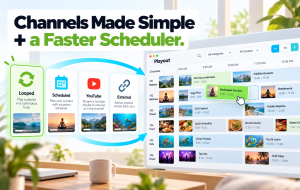
Programming a Linear Channel used to be one of the more technical workflows in Bamboo Cloud. Now, the new Playout interface makes scheduling far more intuitive. You get a clearer visual timeline, an easier programming flow, and better previews of what’s live and what’s coming next on air.
In addition, Linear Channels gained:
- More display options
- Additional EPG customization
- More color options for the channel guide
- Improved embedding capabilities (including the new Live TV embed we shipped recently)
These channel customization options now live under Platform > Live TV, alongside the other platform-level settings.

Platform
The Platform menu is one of the biggest changes in the new dashboard.
It brings together everything related to how your site and apps look, behave, and are organized —
all in one place, with more options and clearer guidance than before.
What’s new inside Platform:
- More configuration options for site and app behavior overall
- Smarter navigation management — set up your site and app navigation menus more easily
- New Footer section — a dedicated area for managing your site footer
- New Live TV section — EPG customization, channel guide styling, and embed options all live here
- Better tooltips and explanations throughout, so you know what each setting does before you change it
Everything Else That’s Better
Beyond the three big rebuilds, dozens of smaller improvements are threaded throughout the Bamboo Cloud Admin Dashboard:
- Talent Management — a dedicated module for managing talent across your content library
- Trailer support for both videos and series
- Site Footer management — a dedicated area for footer content
- Team Management — simplified permissions and role administration
- Free Trial onboarding — a better first experience for new customers
- Smoother video editing, better channel management, improved content organization throughout
- Cleaner Branding interface — visual previews and mock-up pages help you confidently customize colors and logos. Try the color reference preview before or after applying changes to check how they will be applied.
What’s Next
The new Bamboo Cloud Admin Dashboard isn’t the finish line — it’s the starting line. First, rebuilding the foundation means we can now add capabilities faster. Second, we can keep the experience coherent as the platform grows. Finally, we can support workflows that weren’t possible in the previous system.
Everything we ship going forward — new features, new integrations, new product suites — will live inside this new dashboard from day one.
How to Try It
The new Bamboo Cloud Admin Dashboard is available now at app.bamboo-cloud.com/admin.
It becomes the default administration experience for all customers this week.
Your existing configurations remain intact — no migration required. Meanwhile, the previous Settings dashboard stays available at /settings through the end of the year, so you can transition on your own timeline.
Also, documentation and tutorials are being updated alongside the rollout to help both new and existing customers get the most out of the new dashboard.
Open the new Admin Dashboard: app.bamboo-cloud.com/admin
Don’t have an account yet? Start your free trial today.
Questions or feedback? We’re paying close attention this week — get in touch.