

Apple Just Opened Up App Store Marketing for OTT Apps
Apple has added new options to App Store Connect that change how your OTT app is marketed in search and on its product page. If you have an iOS app, these App Store marketing tools can meaningfully lift install conversion. And right now, most developers haven’t adopted them yet, which means operators who move early get a competitive edge in App Store search for a while.
Here’s what changed, why it matters, and what to put in front of a designer this week.
What’s New in App Store Connect
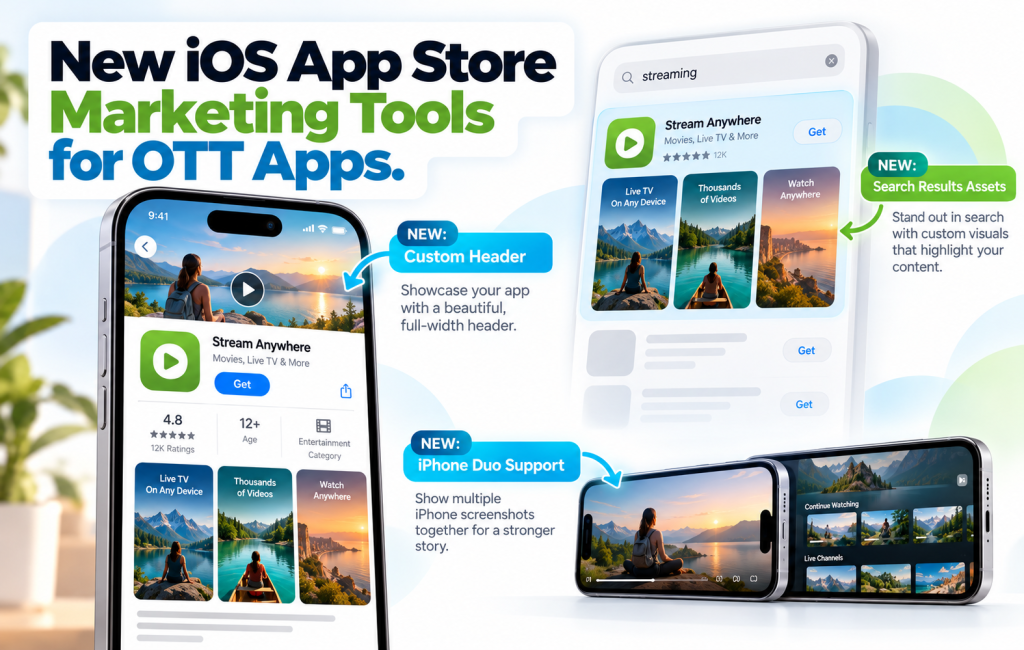
Three distinct additions to App Store marketing, all living under a new “Product Page Information” area:
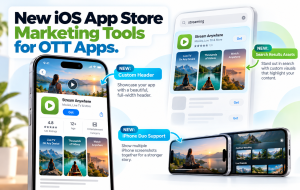
1. Custom Product Page Header
Previously, your App Store product page opened with your app icon and metadata. Now you can add a dedicated header asset that sits above everything else — the first thing a potential installer sees. It’s prime real estate for a visual statement about your app, your brand, or what the user is about to install.
2. Custom Search Results Assets
When your app shows up in App Store search results, Apple can now surface a dedicated “search results” asset rather than defaulting to your product page screenshots. The visual that convinces someone to tap your result in search can be designed specifically for the search context — short attention span, small preview, next to competitors.
3. iPhone Duo Previews and Screenshots
Apple’s latest iPhone Duo requires its own set of previews and screenshots to display properly on the product page. If your current App Store listing hasn’t been updated for the new device, it either renders scaled or substitutes assets from another device size. Neither is ideal if you want to look sharp to iPhone Duo users.
Why This Matters for OTT App Store Marketing
OTT apps have a specific App Store marketing challenge these tools help with:
- Search context matters more than for most apps. Users searching “cooking shows” or “faith streaming” are high-intent — but they decide between you and three competitors in two seconds. A custom search results asset can be the thing that tips the decision.
- Product page headers are perfect for OTT. A hero image showing your content — the show, the sport, the creator, the vibe — tells a potential subscriber what they’re signing up for faster than screenshots alone.
- iPhone Duo users are the kind of users OTT apps want. New-device users typically have higher disposable income and more time on their phones. A product page that renders correctly on Duo converts those installs better.
What to Prepare
For your designer or marketing team:
- A product page header asset. Think billboard — bold visual, minimal text, your brand or content front and center.
- A search results asset. Different from the header: this needs to work at smaller preview sizes, next to competitors. Simpler, more immediate, more about what the app is than what it looks like inside.
- iPhone Duo previews and screenshots. Your existing screenshots in the Duo-specific aspect ratio and resolution.
Apple publishes the exact dimensions and format requirements in their asset best practices documentation. Any designer who’s worked on App Store assets before will know how to translate the specs — but it’s worth checking the current page for 2026 updates specifically.
For Bamboo Cloud Business Plan Customers
If your Bamboo Cloud plan includes iOS apps (that’s the Business plan), these new App Store marketing options apply directly to the app you’ve shipped. You don’t need to update anything inside Bamboo Cloud to use them — the assets live in App Store Connect, not in your Bamboo dashboard. Access App Store Connect with the Apple ID associated with your developer account, open your app, and the new Product Page Information section will be visible.
If you’re not sure which Apple account controls your Bamboo Cloud-provisioned iOS app, your account manager can help you confirm.
The Competitive Window
These new tools shipped recently. Most OTT apps you compete with in search haven’t updated their listings yet. For the next few months, operators who ship new header, search, and Duo assets will stand out visually in search and on product pages — the same way the first operators to add preview videos years ago got a conversion lift that others only matched later.
What to Do This Week
- Open App Store Connect and find the Product Page Information section for your app
- Review Apple’s current best practices for sizing and format
- Brief a designer on the three asset types (header, search, Duo)
- Ship the updates and monitor your App Store conversion rate over the following month
Small production effort, measurable conversion impact, zero cost beyond your designer’s time.
Need iOS apps for your streaming platform? Start your free trial today — iOS, Android, Roku, Fire TV, Apple TV, and Android TV apps are included on the Business plan.