

Category Management: A Dedicated Home for Your Catalog
In the old admin, video category management lived in a side panel on the Videos page. You could create categories. You could assign them. But you couldn’t really see your catalog as a whole — just a column of names next to whatever video list you happened to be looking at.
In the new Bamboo Cloud Admin Dashboard, category management gets a dedicated page. Two views. Full-width space. And the tools to actually see, search, and shape your catalog the way it exists in your head.
Two Views of Your Catalog
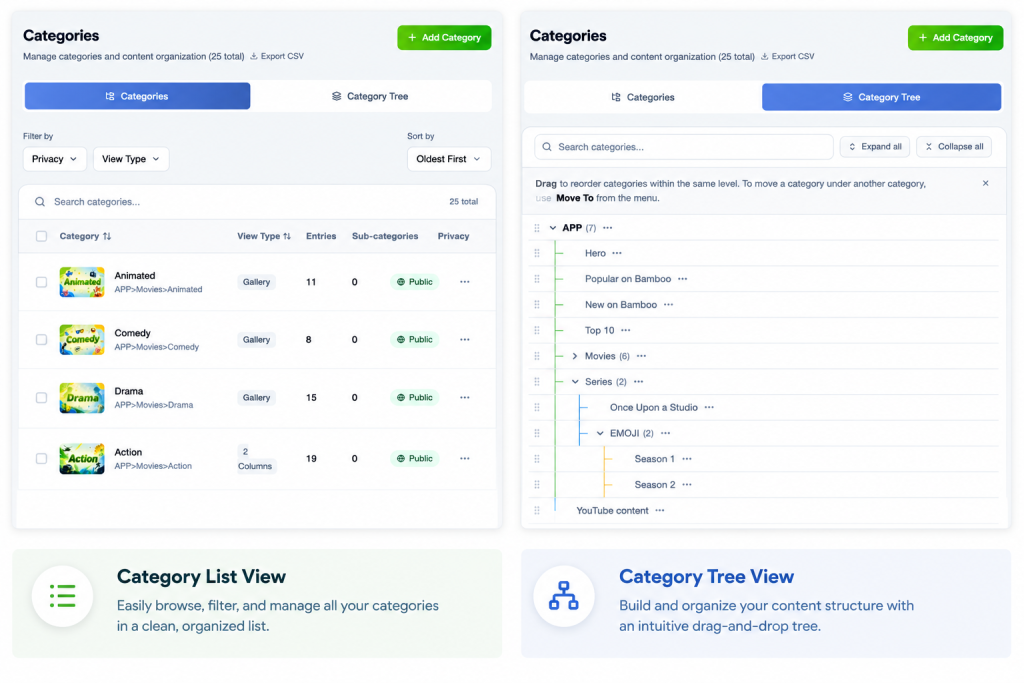
The new Categories page opens with two tabs.
Categories
A clean, searchable list of every category in your library. Scan them quickly, edit names, update descriptions, change settings. This is where you work when you know the category you want to touch.
Category Tree
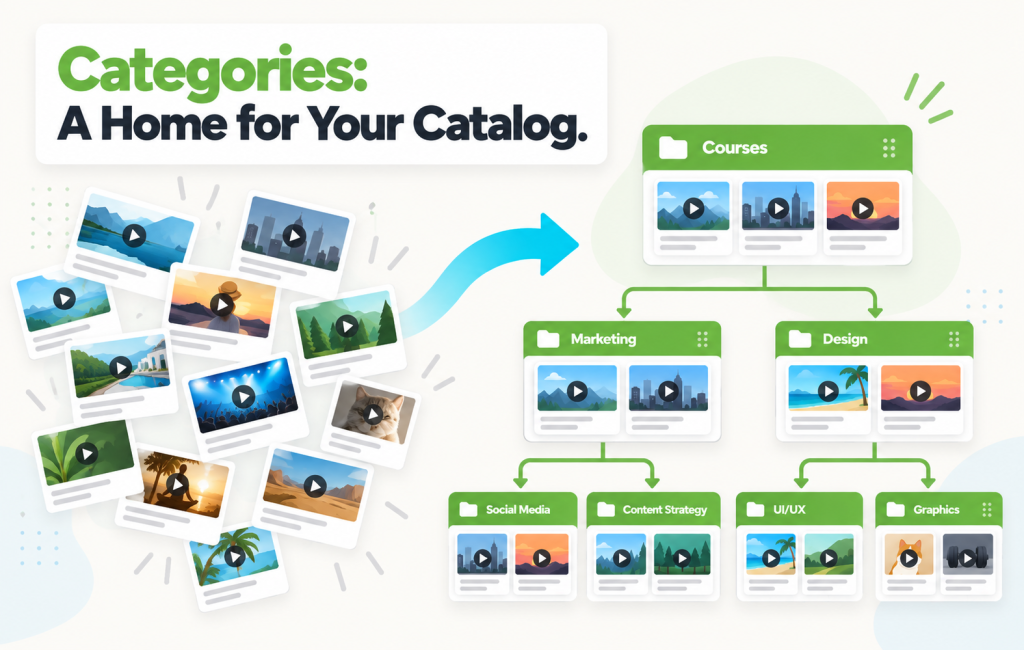
A full visual map of your whole catalog. Parent categories branch into their subcategories, which branch into theirs. You can see the entire hierarchy at a glance, expand the branches you care about, collapse the ones you don’t, and drag items around to reorganize.
This is the view you’ll live in when you’re planning a reorganization, onboarding a new content type, or trying to find where that one series actually sits.
What You Can Actually Do
Beyond the two views, category management picked up practical tools that weren’t easy in the old admin:
- Search within the tree — jump directly to any category, no matter how deep it sits
- Expand and collapse branches to focus on the part of the catalog you’re working on
- Drag to move or reorder — restructure your catalog without unlinking and relinking
- Create categories wherever you need them — add a new child under any node and keep going
Why This Matters
If you have a few dozen videos and three categories, this might feel like a nice-to-have. If you run a real catalog — hundreds or thousands of videos across layered categories — this changes your day.
Marketers can finally see the shape of what the audience sees, and reorganize without guessing. Content managers can plan new categories alongside existing ones instead of imagining them in a flat list. And new team members can learn the catalog in minutes by exploring the tree, instead of being handed a spreadsheet.
“The Category Tree is the first time I’ve looked at our whole library and immediately known what to fix. We’d been meaning to restructure for a year — I did it in an afternoon.” — Beta tester, mid-sized faith-based streaming platform
How to Find It
Open the new Admin Dashboard at app.bamboo-cloud.com/admin. Categories lives in the sidebar — click it, and you’ll land on the Categories list by default. Switch to Category Tree with one click.
Your existing categories are already there — no migration, no re-setup. Just a cleaner place to work with them.
See the new Category Management experience: app.bamboo-cloud.com/admin/content/categories
Don’t have an account yet? Start your free trial today.