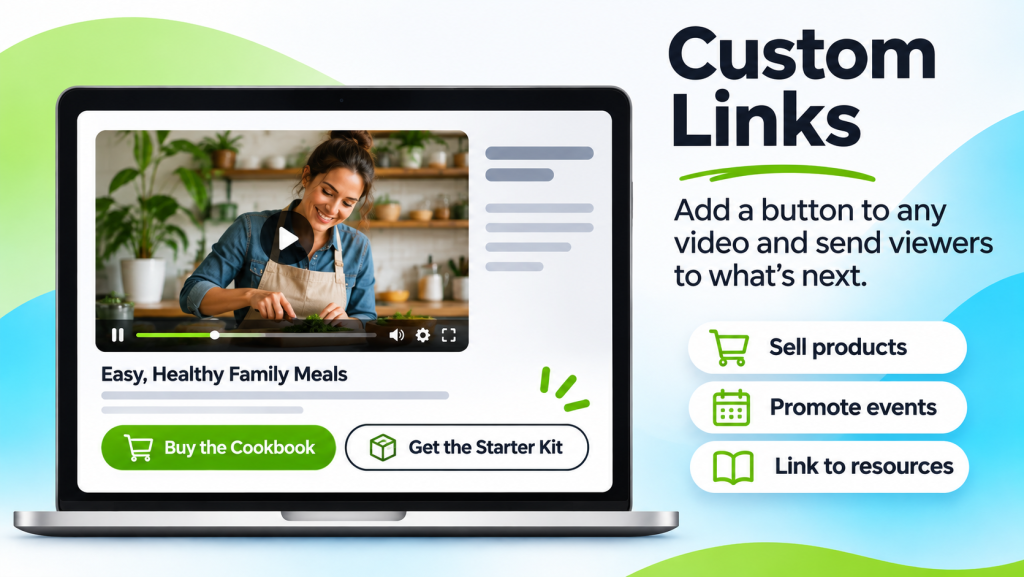
A cooking show mentions the cookbook. A pastor references a new devotional. A coach talks about the training program. In each case the viewer is interested right now, and then has to go looking for where to buy it. Custom Links on videos remove that search by putting a button on the video page itself.
How Custom Links on Videos Work
Custom Links are customizable buttons that appear on a video’s details page, giving viewers a direct link to any web address you choose. Each video supports up to two buttons, each with its own label, such as “Buy the Book” or “Register Now”.
The buttons sit on the details page around the video, not as clickable overlays inside the player, so your video stays the main event.
Custom Links appear on your Bamboo streaming website and mobile apps.
Ideas for Your Buttons
- Creators and brands: “Buy the Cookbook”, “Shop the Gear”, “Get the Pattern”.
- Churches and ministries: “Get the Study Guide”, “Join a Small Group”, “Plan a Visit”.
- Educators and coaches: “Enroll in the Full Course”, “Book a Session”, “Download the Worksheet”.
- Events and conferences: “Get Tickets for 2027”, “See the Speaker’s Slides”.
- Nonprofits: “Volunteer”, “Read the Full Report”, “Sign the Pledge”.
- Sports clubs: “Buy the Season Kit”, “Register for Tryouts”.
How to Add Custom Links in Bamboo
Step 1: Turn on the field
Go to Content > Content Settings and, under Advanced Metadata, switch on Custom Links. You only do this once for your whole account.
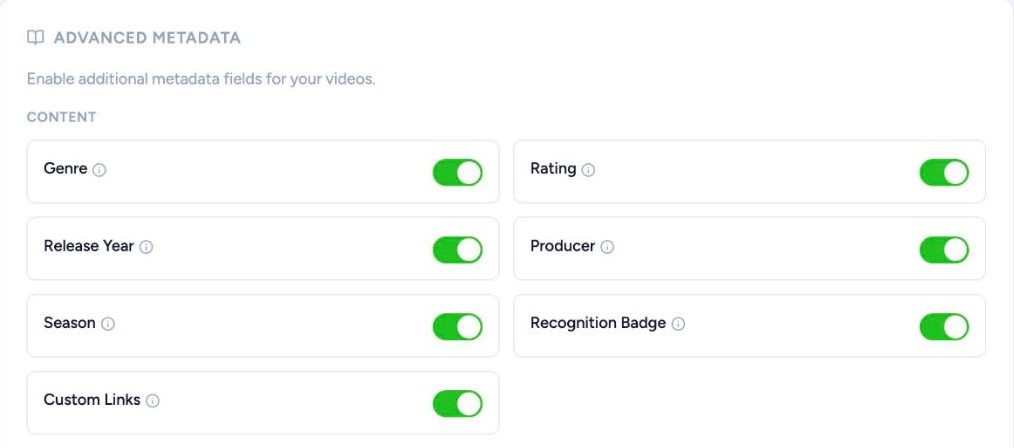
Step 2: Add links to a video
Open any video, go to the Details tab and expand Advanced. Add a label and a URL for each button, then save.
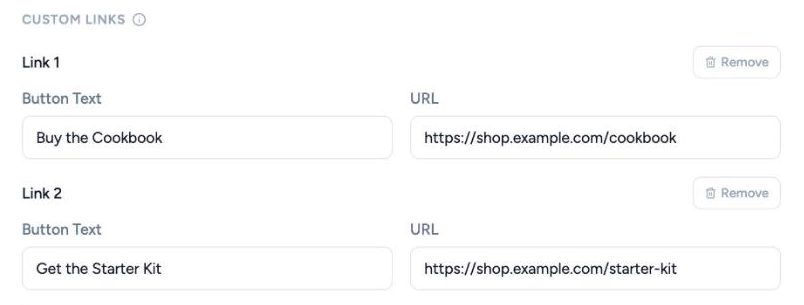
Step 3: Check the page
Open the video’s details page on your website to check the buttons. They also appear on the video’s page in your supported mobile apps.
Tips for Buttons People Actually Click
- Match the video: link to the exact product or page the video talks about, not your homepage.
- Use action words: “Get the Study Guide” is clearer than “Learn More”.
- Mention it in the video: a quick “the link is right below this video” tells viewers where to look.
- Keep the second button different: one to buy, one to learn more, so viewers have a real choice.
- Tag your URLs: add UTM parameters so you can see in your store or web analytics which videos send visitors.
Custom Links and Your Other Revenue Options
Custom Links on videos work alongside the rest of Bamboo’s monetization. Sell access to the video itself with subscriptions or Pay-Per-View, and use Custom Links to point viewers to the things you sell elsewhere, like books, merchandise, coaching or tickets. Custom Links don’t process purchases themselves: they send viewers to your external store or page, where the sale happens. For ministries, a link to an event or study guide pairs well with the Give item in your menu.
Give Every Video a Next Step
Every video already has your viewer’s attention. Custom Links on videos make sure they know what to do next.
Ready to add your first button? Open Content Settings
Don’t have an account yet? Start your free trial today.