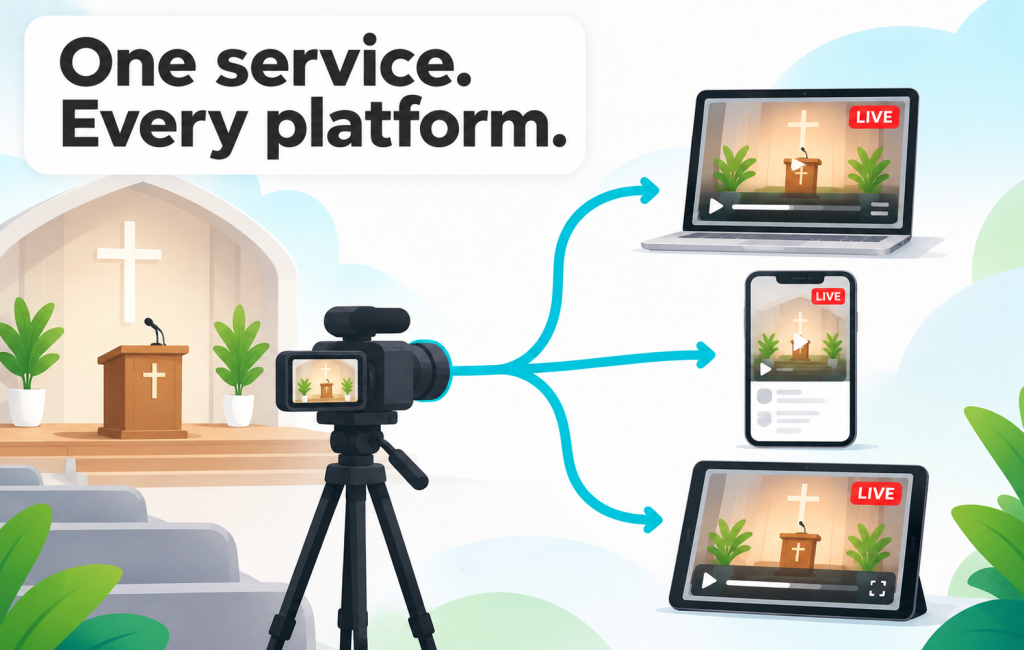
Some members watch on your church website. Some find you on YouTube. Grandparents follow along on Facebook. Until now, reaching all of them meant choosing one platform, or juggling several streams at once. Restream lets you send one Sunday service everywhere at the same time.
What Restream Does
Restream takes your Bamboo live stream and sends a copy to other destinations while it plays on your own site. You can add YouTube, Facebook or any platform that accepts an RTMP stream. Your volunteers run one encoder and one broadcast. Bamboo handles the rest.
Why Keep Your Own Site at the Center
Social platforms are a good place to be found. Your own streaming site is where people can go deeper. On your Bamboo site, the service sits next to everything else your church offers:
- Every past message, organized into series and recorded automatically after each live service.
- A Bible reader in your menu, with KJV, BSB and WEB translations.
- A Give button, so online members can support the ministry.
- Talent pages for your pastors and speakers.
- Your own apps on phones and TVs, on the Business plan.
Restream lets you meet people where they already are, and invite them home to your site.
How to Set Up Restream
Step 1: Create your live stream
Go to Content > Live, click Add Live Stream and fill in the name, description, thumbnail and schedule. Connect your encoder from the stream’s Stream tab under Stream Connection.
Step 2: Add your destinations
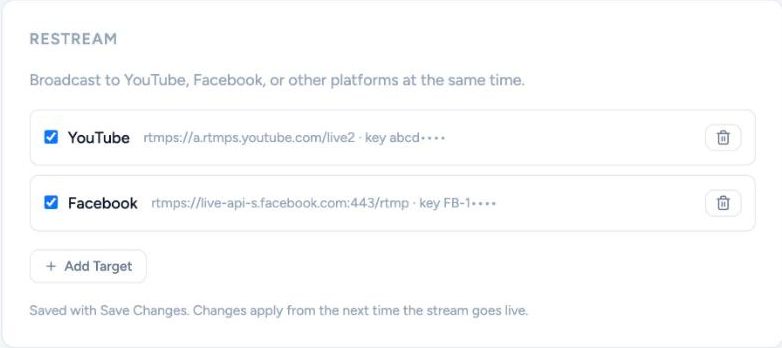
On the same Stream tab, open Restream and click + Add Target. Paste the stream URL and stream key from YouTube, Facebook or another RTMP platform. Repeat for each destination.
Step 3: Go live once
Start streaming from your encoder as usual. Your service plays on your Bamboo site and goes out to every target you added at the same time.
Tips for Sunday Mornings
- Set up targets once: add your destinations ahead of time, so volunteers only need to press Start Streaming.
- Point social viewers home: mention your website from the stage or in the stream description, for sermon notes, giving and past messages.
- Check each platform: open your site, YouTube and Facebook on a phone during the first few minutes to confirm the stream is coming through.
- Use a Fallback Video: if the signal drops, viewers on your site see a “We’ll be right back” loop instead of a blank screen.
One Service, Every Screen
Your message is meant to travel. Restream sends it to every platform your congregation uses, while your own site keeps every sermon, verse and giving opportunity in one place.
Ready to stream your next service everywhere? Open Live Streams
Don’t have an account yet? Start your free trial today.