The holidays are prime time for streaming. Families are home, schedules loosen, and the living room TV stays on for hours. Good holiday programming turns that free time into viewing time on your platform, and it gives new viewers a reason to stay long after the decorations come down.
The good news: you don’t need a new library. You need a plan. Here’s a five-part blueprint you can start this week.
1. Build Your Holiday Lineup From What You Have
Start with an audit. Look through your library for anything seasonal, family-friendly or perfect for a cozy night in. Then turn it into a seasonal content plan with a few clear collections:
- Holiday favorites: seasonal specials, past holiday events and themed episodes
- Family picks: content everyone in the room can watch together
- Binge-worthy series: long series that fill a lazy afternoon
- New Year fresh starts: fitness, learning and goal-setting content for January
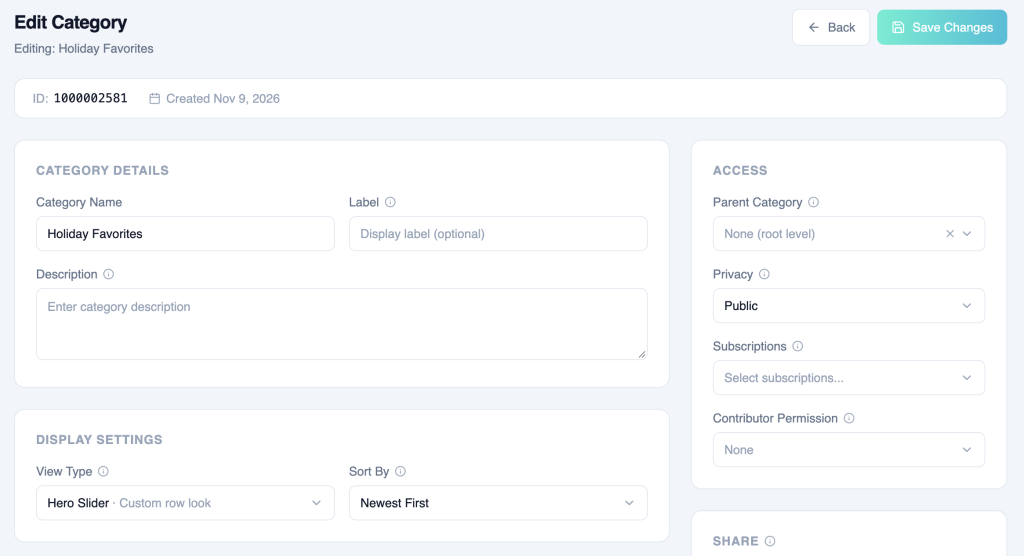
In Bamboo, each collection is simply a category. Categories build the rows on your site and apps, so your holiday lineup appears as soon as you create it.
2. Redecorate Your Homepage
Your homepage is your shop window. Give it a seasonal look for December:
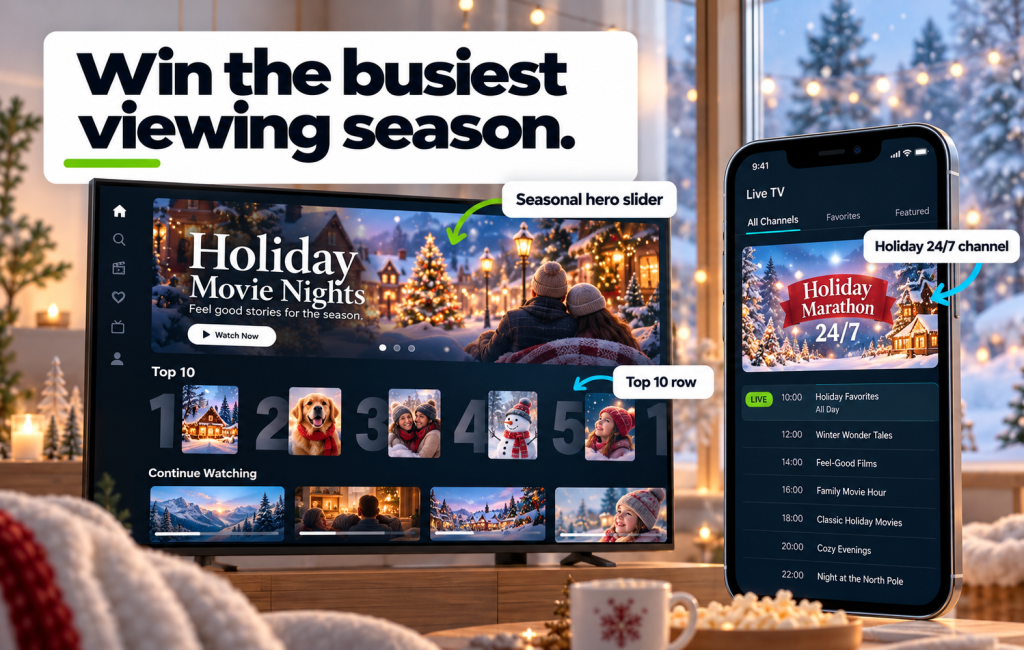
- A holiday hero slider. Set a category’s View Type to Hero Slider and fill it with your best seasonal titles. It becomes the big banner at the top of the page.
- A Top 10 row. Use the Top 10 view type for a ranked “Most Watched This Season” row.
- Timed visibility. On each seasonal video, set a Start Date and End Date under Scheduling. It appears on your platform during the holidays and steps aside automatically afterwards.
3. Launch a 24/7 Holiday Channel
Many viewers want something festive playing in the background while they cook or wrap gifts. A 24/7 holiday streaming channel is perfect for that.
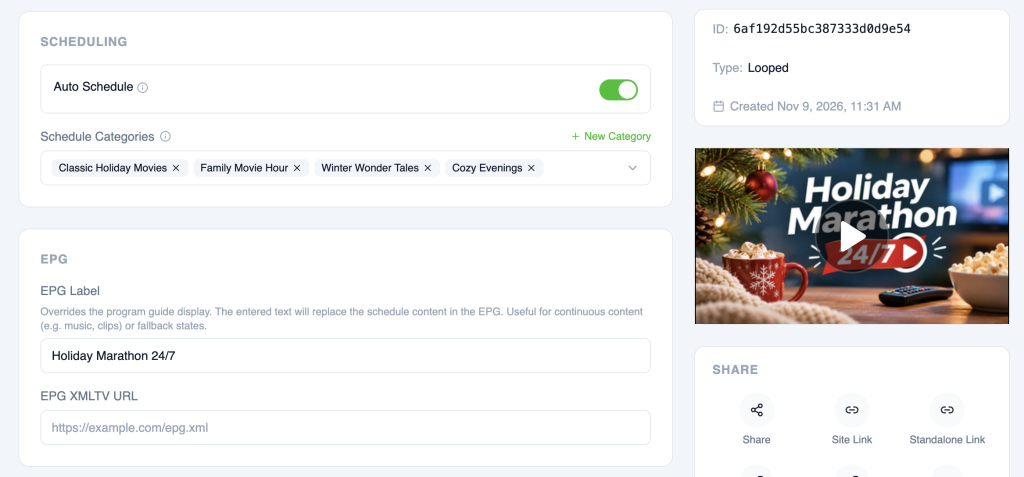
Create a Looped channel in Content > Channels. Turn on Auto Schedule and choose your holiday categories under Schedule Categories. Add an EPG Label such as “Holiday Marathon 24/7” for a clean TV guide entry. Want a set schedule instead, with movie nights at fixed times? Use a Scheduled channel and plan the grid in Playout.
4. Make It an Event With Live Specials
Live moments give people a reason to tune in at the same time. Think holiday concerts, a year-in-review show, a cooking special or a New Year’s Eve countdown.
- Remind your audience. Turn on Send Event Reminder Emails in Audience > Emails, so registered viewers hear about it before you go live.
- Air it inside your channel. Drop the live event into your Scheduled channel in Playout, and regular programming resumes when it ends.
- Sell premium specials. Put a price on a live event to sell it as Pay-Per-View.
Every live event records itself into the category you choose, so the replay is ready for viewers who missed it.
5. Plan for January Before December Starts
Holiday traffic is only valuable if some of it sticks. Plan the handoff now:
- Lead with series. Long series keep new viewers coming back after the holidays end.
- Offer a trial. Add a Trial Period (months) to your subscription so holiday visitors can try before they pay.
- Swap the homepage on January 1. Use End Dates on holiday titles and Start Dates on your “fresh start” collection, so the switch happens on time.
- Check what worked. Review Video Performance in Analytics to see which titles held attention, and plan next year around them.
Your Holiday Programming Checklist
- Audit your library and create 3-4 holiday categories.
- Add a holiday hero slider and a Top 10 row.
- Set Start and End Dates on seasonal titles.
- Launch a 24/7 holiday channel.
- Schedule at least one live special, with reminder emails.
- Prepare your January lineup and subscription trial.
Great holiday programming doesn’t need a big budget. It needs a little planning, a festive homepage and a reason to keep watching in the new year.
Ready to set up your holiday rows? Open Categories
Don’t have an account yet? Start your free trial today.