

Your Live Streaming Encoder Shapes Everything
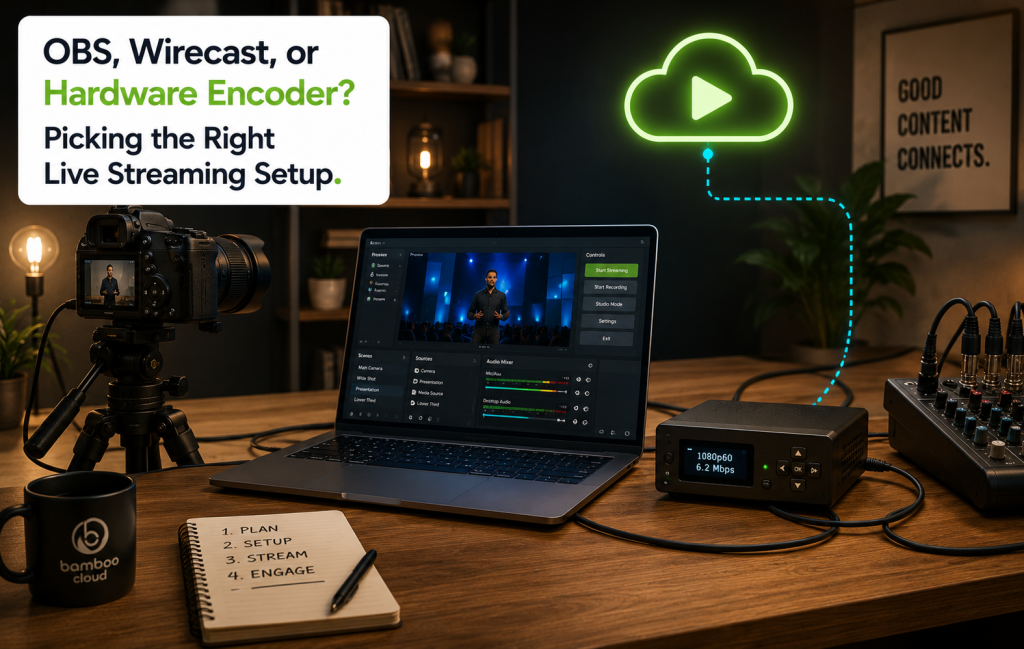
Your live streaming encoder is the most consequential decision in your broadcast stack. It’s the link between your camera and the platform — the piece of software or hardware that takes your video signal, compresses it, and pushes it to the streaming service via RTMP. Every quality issue, every audio drop, every “buffering” complaint usually traces back to encoder choice and configuration.
This is a guide to picking the right live streaming encoder for your setup — OBS, Wirecast, or a hardware encoder — and what each one actually costs you in money, time, and reliability.
Option 1: OBS Studio (Free, Open-Source)
OBS Studio is the most-used live streaming encoder in the world. It’s free, open-source, and runs on Mac, Windows, and Linux. The OBS feature set is genuinely competitive with paid software at the basic-to-intermediate level.
What OBS Studio Is Best For
- Solo creators and small teams just starting out
- Talking-head streams, gaming, podcasts, single-camera broadcasts
- Anyone learning the live streaming workflow without committing budget
- Backup encoder for a production crew already on paid software
Where OBS Hits Its Limits
- Multi-camera switching is workable but less polished than paid tools
- Hardware acceleration is hit-and-miss across machines
- No phone support — you’re stuck on a computer
- Limited official support — community forums and Discord are your help desk
Option 2: Wirecast (Paid Software)
Wirecast (by Telestream) is the most popular paid live streaming encoder for serious productions. It runs on macOS and Windows, with pricing starting around $599 for Studio and ~$799 for Pro.
What Wirecast Is Best For
- Multi-camera productions (4+ inputs)
- Sports, conferences, and live events with motion graphics
- Teams that need official tech support during a broadcast
- Productions integrating NDI cameras, IP cameras, or remote guests
Where Wirecast Has Trade-Offs
- Cost: it’s not just the license — Pro features compound
- Learning curve: more powerful than OBS, but the UI demands time
- Still runs on a computer, which becomes a single point of failure for important broadcasts
Option 3: Hardware Encoders (Teradek, LiveU, YoloLiv)
A hardware encoder is a dedicated physical device that does one thing: encode video and push it via RTMP, RTMPS, or SRT. Brands include Teradek (Bond, Vidiu), LiveU (Solo), Atomos (Shogun Connect), and YoloLiv (YoloBox).
What Hardware Encoders Are Best For
- Field productions where carrying a laptop isn’t practical
- Events that demand the highest possible reliability
- Cellular bonding for streams over LTE/5G (LiveU, Teradek Bond)
- Sports, news, weddings, and church services with no margin for an OS crash
Where Hardware Encoders Cost You
- Up-front cost: $700 to $5,000+ depending on the unit
- Less flexibility for graphics, lower-thirds, and complex scene switching
- Firmware updates and feature additions slower than software
Side-by-Side: Choosing Your Live Streaming Encoder
| Need | Best fit |
|---|---|
| Solo creator, single camera, free | OBS Studio |
| 2–3 cameras, indoor production, on a budget | OBS or YoloBox |
| Multi-camera with graphics overlays, paid support | Wirecast |
| Field event, cellular bonding, mission-critical | Hardware encoder (LiveU, Teradek) |
| Church Sunday service, 2 cameras, audio mixer | OBS or YoloBox |
| Sports broadcast with replays and graphics | Wirecast or vMix |
What Connects Your Live Streaming Encoder to Bamboo Cloud
Whatever live streaming encoder you choose, the connection to Bamboo Live is standard RTMP. From the Bamboo Cloud dashboard you get a stream key and ingest URL, paste them into your encoder, and broadcast. Recommended settings for a typical 1080p stream:
- Resolution: 1920×1080
- Bitrate: 4500–6000 kbps
- Frame rate: 30 fps (60 for sports or fast motion)
- Keyframe interval: 2 seconds
- Codec: H.264, AAC audio
When to Upgrade Your Encoder
The signs you’ve outgrown your current live streaming encoder:
- Your laptop is overheating mid-stream
- You’re losing audio sync on multi-camera setups
- You need to broadcast from places without reliable wired internet
- An OS update broke your production stack on broadcast day
- You need official support, not Discord
Ready to broadcast? Start your free trial today and connect any encoder to Bamboo Live in minutes.