

Streaming for Aging Congregants: The Audience Most Churches Underserve
When churches think about who’s watching the online service, most imagine young families, work-from-home members, people on vacation. The reality for most congregations: the single most consistent online audience is older members. Shut-ins. Members with mobility limits. Spouses recovering from surgery. The friend who moved to an assisted living community and still wants to worship with you.
Streaming for aging congregants isn’t an afterthought. It’s your largest and most faithful online audience. Which means accessibility isn’t a nice-to-have — it’s the whole point.
What Accessibility Actually Means Online
Streaming for aging congregants requires decisions in four areas:
- Vision — captions, text size, color contrast, interface clarity
- Hearing — audio quality, caption accuracy, volume consistency
- Motor function — simple remote navigation, large tap targets, few clicks to reach the stream
- Technical confidence — the service should play without troubleshooting
Miss any of these and a meaningful share of your most faithful online audience quietly drops out.
1. Captions, Captions, Captions
If you do one thing from this list, do this. A majority of older viewers watch television with captions on, whether they’d describe themselves as hard of hearing or not. Clean, accurate, large captions aren’t an accessibility bonus — they’re the baseline expectation.
Specifically:
- Auto-generated captions are better than none, but review them before Sunday — proper nouns and theological language get mangled
- Caption text should be large and high-contrast
- Captions should carry through sermon, music, and announcements, not drop out between segments
2. Audio Quality Matters More Than Video Quality
A pixelated video with clean audio is watchable. A beautiful video with muddy audio isn’t. For older viewers whose hearing has declined, muddy audio makes a service completely inaccessible.
Practical steps:
- Take the audio feed from your soundboard, not the camera mic
- Keep volume levels consistent across the service — music shouldn’t blast while sermon audio sits low
- Test on a smart TV speaker, not studio headphones — that’s what most of your audience is actually using
3. The Smart TV Experience Is the Experience
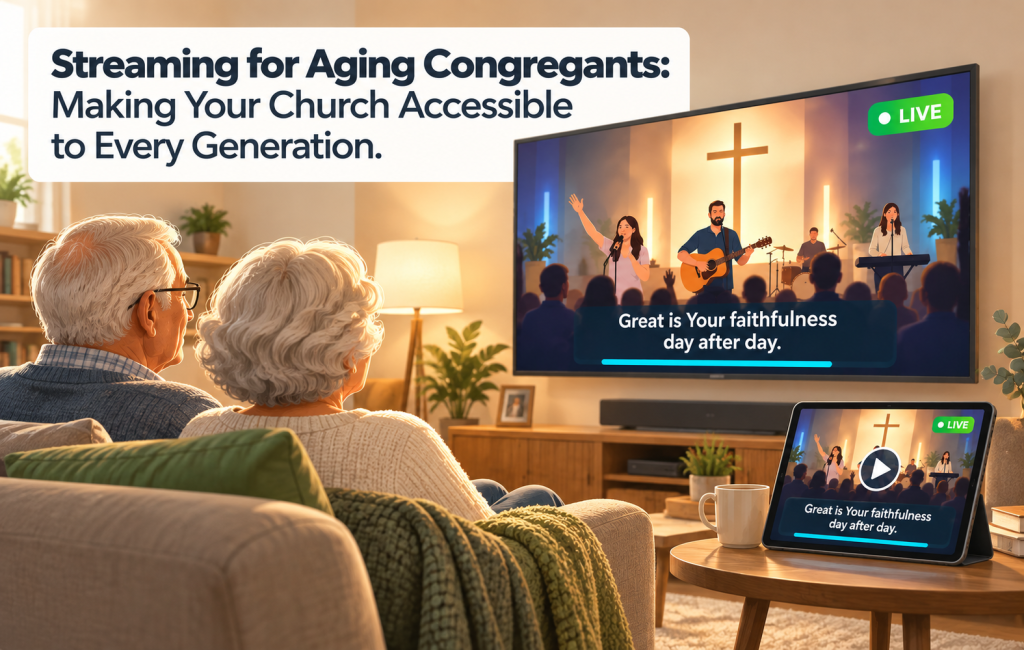
Younger viewers watch on phones. Aging congregants watch on the living room TV, through a smart TV app, Roku, or Fire TV. Streaming for aging congregants that doesn’t include a native TV app isn’t really serving them.
The TV experience should:
- Be reachable with a remote in four or five button presses, maximum
- Show the live service and the latest sermon above the fold on the home screen
- Have readable text at a 10-foot viewing distance
- Keep navigation shallow — one or two levels deep, not five
4. Make It Easy to Catch Up
Older members often watch services later in the day, or during the week when they couldn’t make it live. The on-demand library should be:
- Front and center, not buried behind a search
- Organized by recent date, so the current week’s service is one click away
- Separated by sermon, worship, and announcements if someone wants just the message
5. The Help Line That Humans Answer
Every church that streams well for aging congregants has a human on the other end of a phone number. Not a chatbot. Not a contact form. A person who can walk a 78-year-old through getting the Roku app set up, or figure out why the TV isn’t playing sound.
Even if the ask is only a few members a month, it’s the single highest-return investment in digital church accessibility you can make.
What This Looks Like on Bamboo Faith
Bamboo Faith supports the accessibility work with:
- Caption support across live and on-demand video
- Native apps on Roku, Fire TV, Apple TV, and Android TV
- Simple, remote-friendly layouts on all TV apps
- Easy-to-find replay libraries by date and series
- Flexible player styling for high-contrast reading
But the technology isn’t the hard part. The hard part is choosing to design for the audience that’s already there.
“My mother is 84 and has watched our Sunday service every week since COVID. The day we added large captions, she called to say it was the first service she could follow in two years.” — Pastor, suburban mainline church
Start With One Thing
If this list feels overwhelming, start with captions. Review them weekly. Make sure they’re accurate. Make them large. Then take on audio. Then the TV app experience. Then the help line.
Streaming for aging congregants doesn’t require a complete rebuild of your digital presence. It requires choosing to pay attention to the people who are already watching.
Ready to make your church streaming more accessible? Start your free trial today and reach your whole congregation, every Sunday.