Ask a viewer why they keep coming back, and they’ll rarely name a category. They’ll name a person: the pastor whose teaching changed their week, the instructor they trust, the host they find funny. Talent pages build your platform around those people.
Most streaming platforms organize content by topic. That works for browsing. However, loyalty is personal. When fans can follow a person, they watch more, and they stay longer.
Topics Get Browsed, People Get Followed
Think about how you watch. You finish one episode with a speaker you like, then want everything else they’ve done. If that content is spread across five categories, most people give up.
Talent pages fix that. Each person gets a profile with their photo, a short description, a longer bio and every video they appear in. One click from a video takes viewers straight to the rest of their work.
Who Benefits Most
- Churches and ministries: pastors, guest speakers and worship leaders
- Course creators: instructors and expert contributors
- Conferences: keynote speakers and panelists
- Film and series platforms: cast, directors and crew
- Music platforms: artists and bands
- Fitness platforms: coaches and trainers
How Talent Pages Work in Bamboo
Talent pages are part of the Pro and Business plans. Setting them up takes a few minutes per person.
1. Create a profile
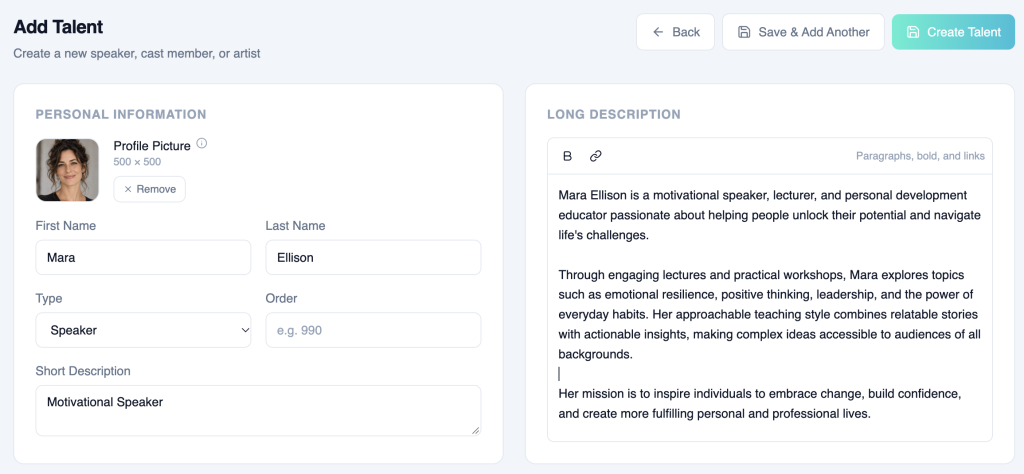
Go to Content > Talent and click Add Talent. Upload a square Profile Picture, ideally 500 × 500. Add a first and last name, then choose a Type: Speaker, Cast and Crew or Artist.
Next, write a Short Description, such as “Author and Bible Teacher.” Then add a Long Description with their background. Click Create Talent, or Save & Add Another to keep going.
2. Tag their content
Open any video or live event. On the Details tab, choose people in the Talent field, then save. You can also tag talent on a whole series or category in its Category Details.
Each profile then shows a Tagged Content list in the admin, so you can check everything linked to that person.
3. Show talent to viewers
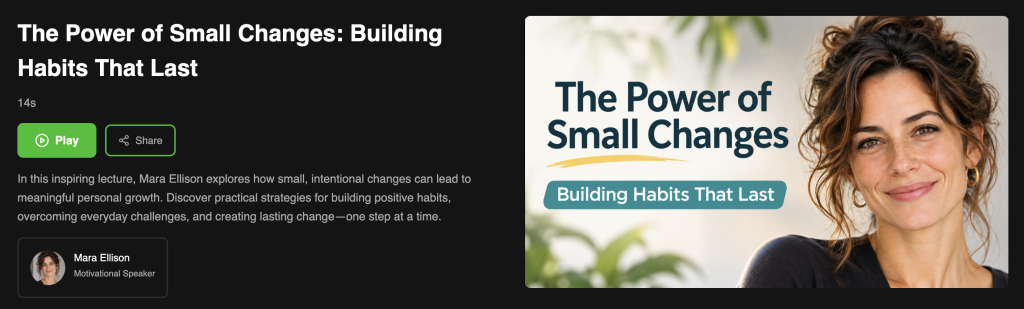
Tagged people appear on each video page, with their picture and short description under the video description. Clicking a person opens their talent page with the full bio and all their series and videos.
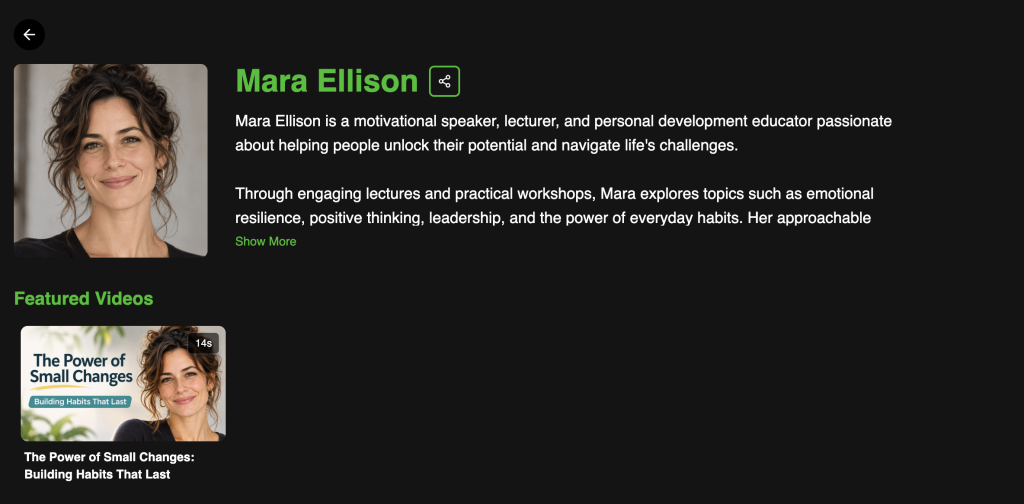
To add a talent row to your homepage, go to Platform > Navigation. Open the advanced settings for a Dynamic Rows (Netflix Look) menu item and add the talent row.
Five Ways to Get More From Talent Pages
- Use consistent photos. Same framing and background make the talent row look polished.
- Write bios for viewers, not resumes. Tell people why they’ll enjoy this person.
- Tag guests too. A one-time guest speaker can bring their own audience with them.
- Tag live events too. Viewers see who’s speaking before they press play.
- Feature talent in marketing. Link to a talent page in emails and social posts instead of a generic homepage.
Put People at the Center
Your content is only half the story. The people in it are why viewers come back. Talent pages turn those people into destinations, and they make your whole library easier to explore.
Ready to add your first profile? Open Talent
Don’t have an account yet? Start your free trial today.